
Grab the free brush for this tutorial
Made by Freya · works in any Procreate version
Hello! In this tutorial we are going to draw a Daisy using the premium brushes from the Effortless Flower Brush Set. Please download the tutorial PDF and the swatch file before we get started.
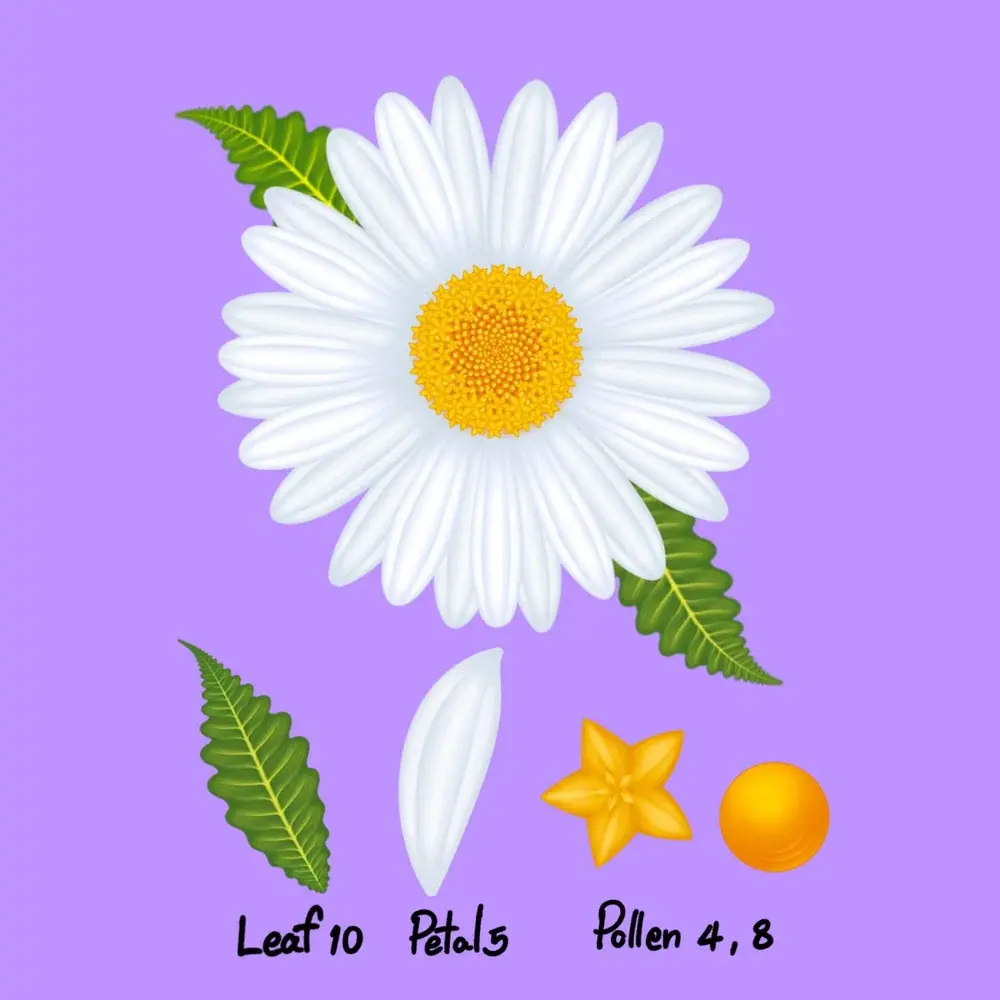
To recreate this flower, we are going to use five brushes from the Effortless Brush Set. Namely Leaf No. 10, Petal No. 5, Pollen No. 4 and 8. Make sure that your Dynamic Scaling is turned on when you're using this brush set, you can find this under Actions > Preferences.
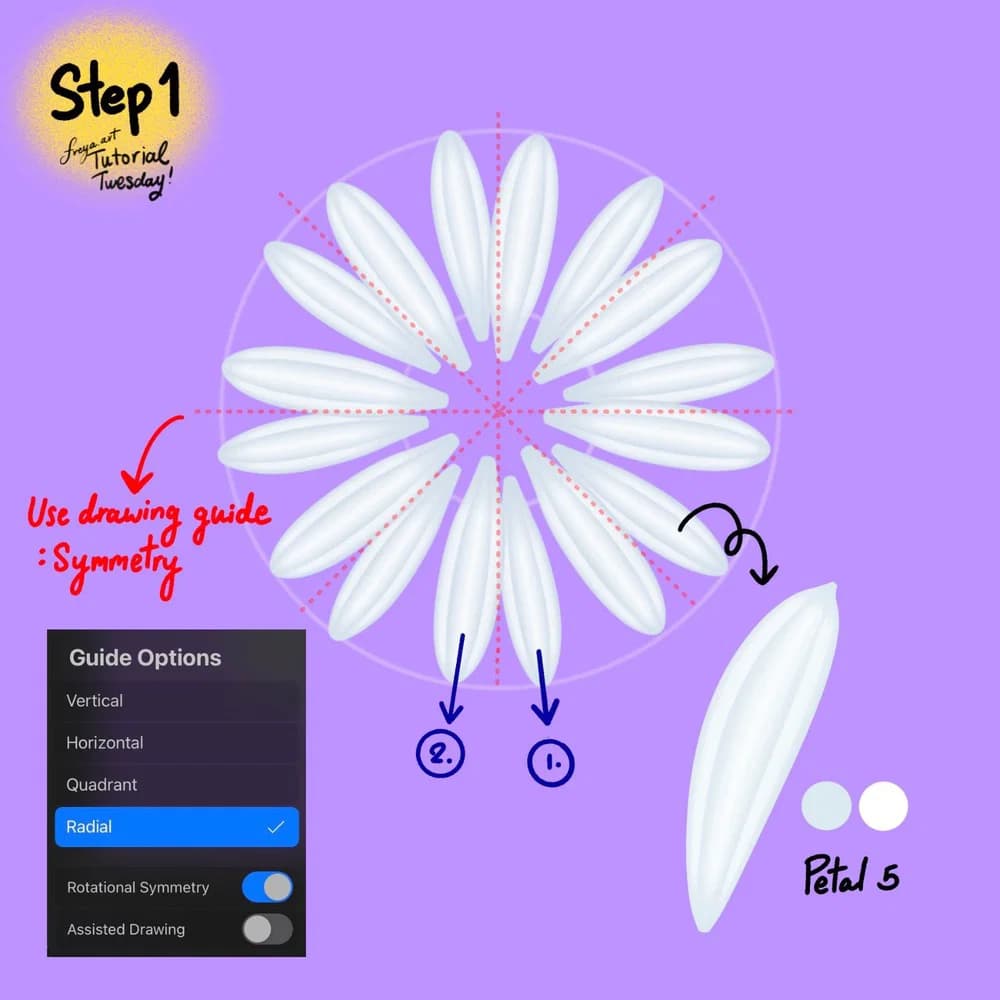
Step 1: Create a 3000 x 3000 pixel-canvas at 300 DPI. Create a layer. Then go to Actions > Canvas > and turn on Drawing Guide. Tap on Edit Drawing Guide > Tap on Symmetry > Options> and choose Radial and Rotational Symmetry. Tap Done.
Go back to your layer and turn on Drawing Assist. Choose the color duo for the petals. After setting the primary and secondary colors for these dual brushes, remember to tap the primary color again, so that Procreate uses that as the active color.
Choose Petal No. 5 brush, then start painting the petals towards the center, tapering off at the end. One stroke and you’ll have 8 petals. Draw another set so that you have 16 petals for this layer.
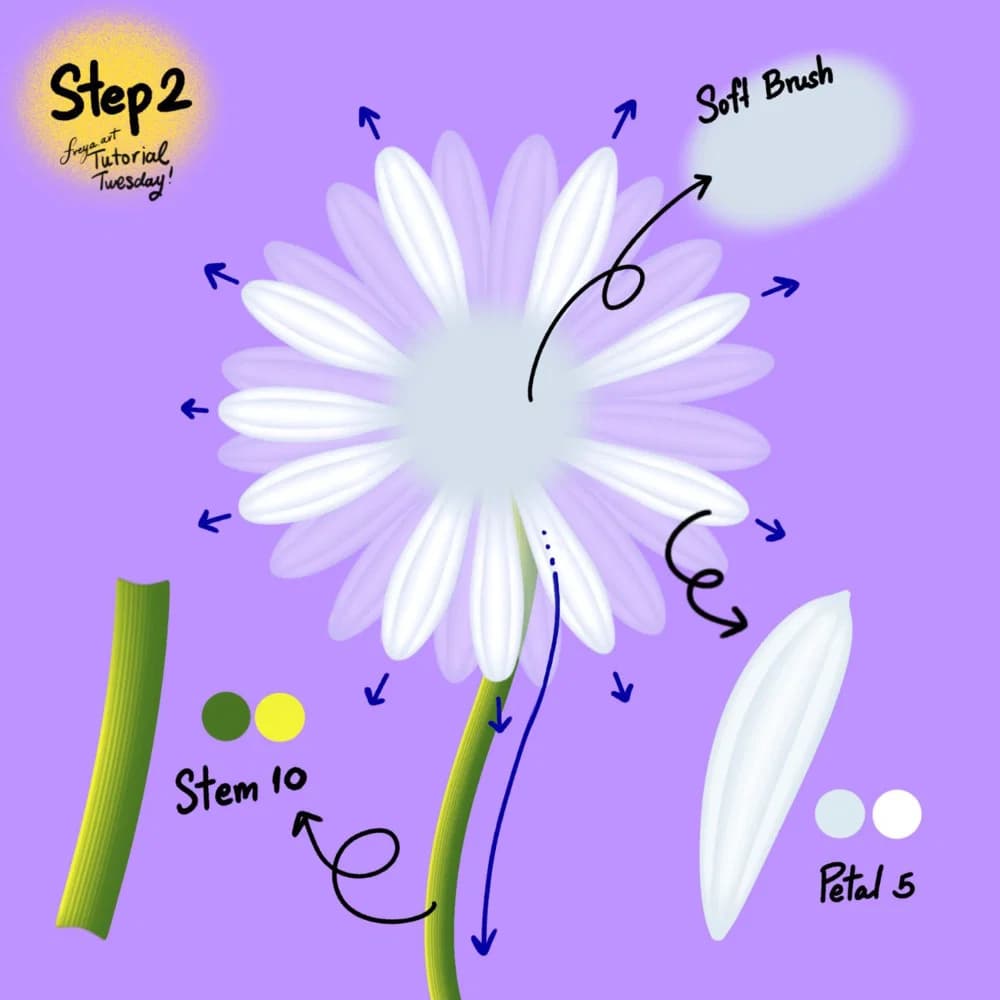
Step 2: Add another layer but this time don’t turn on the drawing assist. Use the green color duo and draw the stem using the Stem No. 10 brush. Then add another layer. Set the color duo back to the petal color again, and this time draw the petals without Drawing Assist. This will help make it look more natural. This layer should be on top of the stem, so the top of the stem is covered.
Then finally, add a light blue center using the Soft Brush from Procreate’s default Airbrushing group.
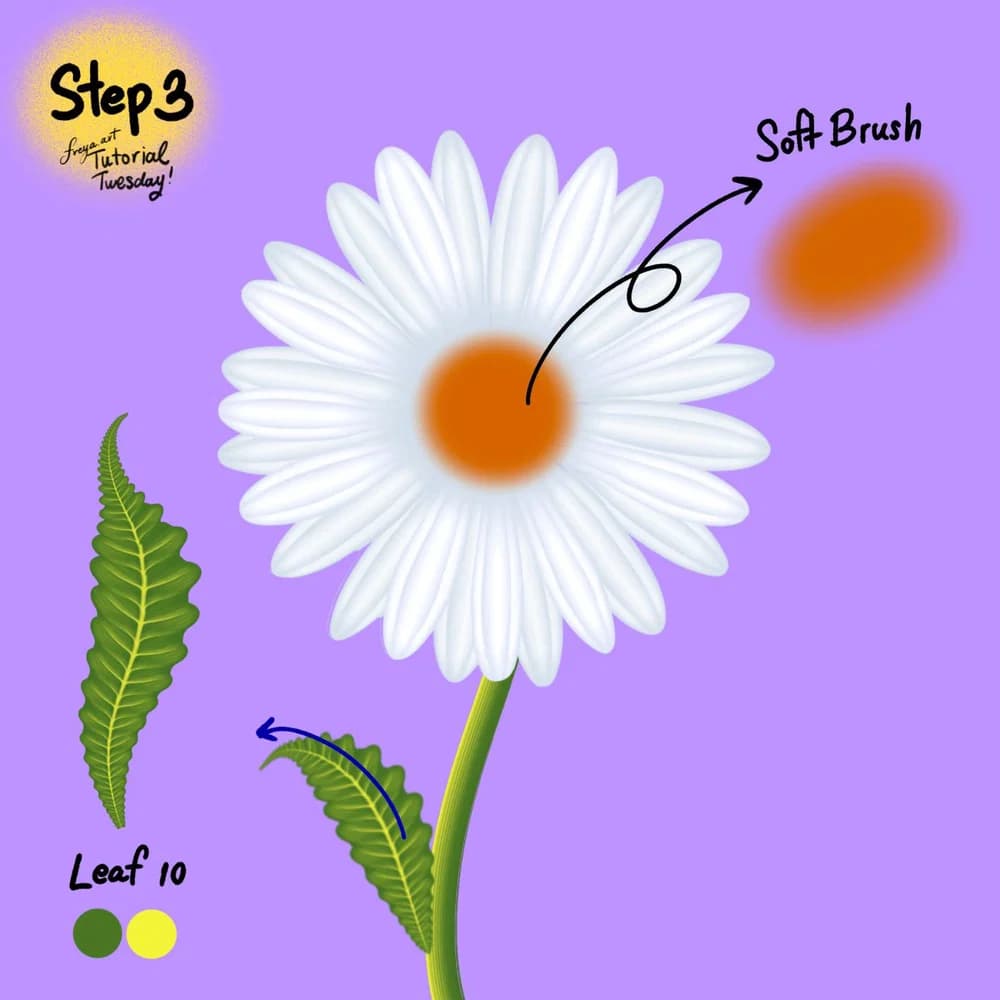
Step 3: Add another layer. Set the color to orange and using the Soft Brush again, add a bit on top of the blue center. Add another layer for the leaf. Set the color duo and using Leaf No. 10 brush, draw the leaf moving outward. Work with minimal pressure at first, add pressure to expand the leaf width then ease up on the pressure to taper off.
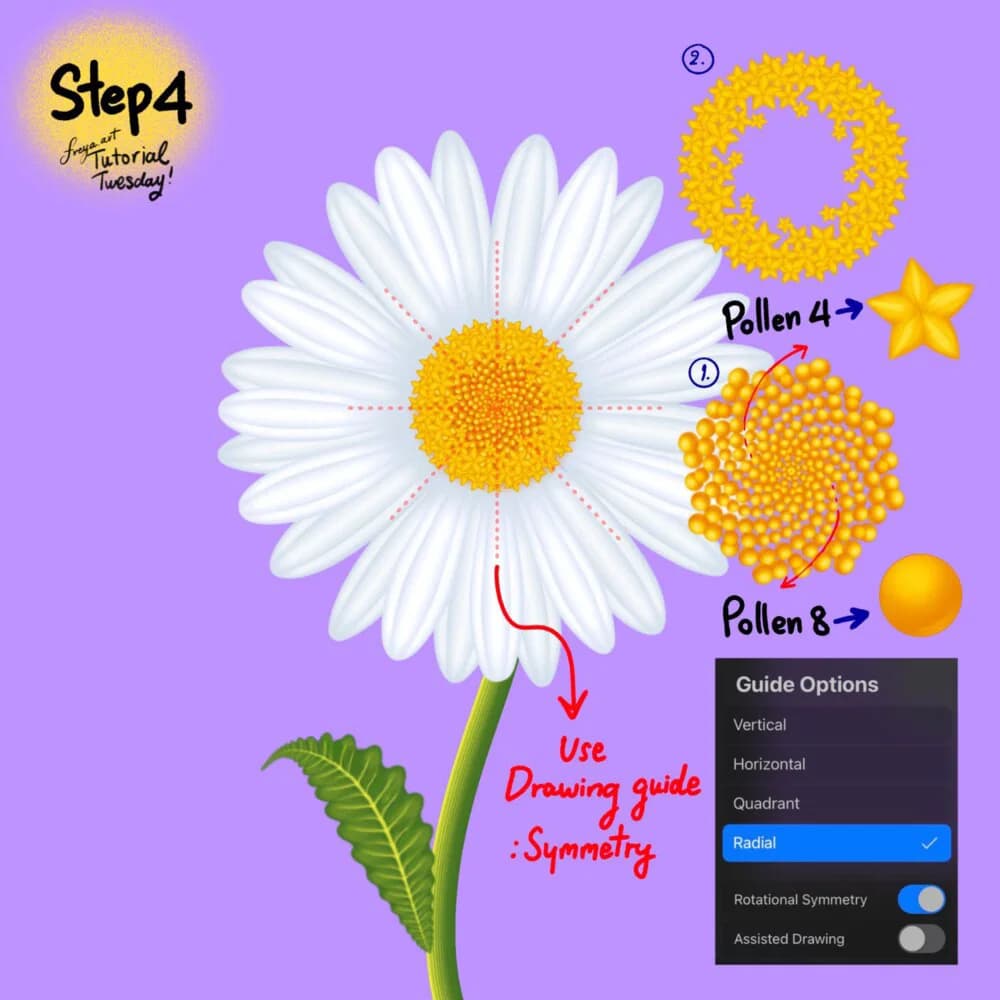
Step 4: Add another layer for the pollen. Turn on symmetry and rotational symmetry again. Go to your layer and enable Drawing Assist. Set the color duo and use Pollen No. 8 brush first. Tap to create the circles moving in a curved direction, from the center outwards. Each circle should be slightly bigger than the last.
Add another layer, and turn on symmetry and rotational symmetry again. Go to your layer and enable Drawing Assist. Then using Pollen No. 4 draw around the sides covering about halfway of the pollen.
I hope you enjoyed this tutorial! Please don't forget to share your work so we can cheer you on! Happy Drawing!
Written by
Digital illustrator and Procreate instructor of 15+ years, and the founder of Freya's Academy. Her client work includes Louis Vuitton, Tiffany & Co., and Sephora, and every course teaches the same techniques she uses on it.
More about Freya →Try two real lessons from Wild Flowers in Procreate, free
Not a trailer. Actual lessons from the course. After you confirm your email, they open in Freya Studio and stay yours.
- Full lesson
Two-Tone Petal Coloring
The complete lesson, not a preview
- Full lesson
Pollen Sketching
The complete lesson, not a preview
- ✓Yours after email confirmation
- ✓No card, no trial
- ✓Opens in Freya Studio
Keep going
Effortless Flower Brush Set
Stamp-and-paint flowers that still look hand-drawn.
Keep making
Source: freya.courses