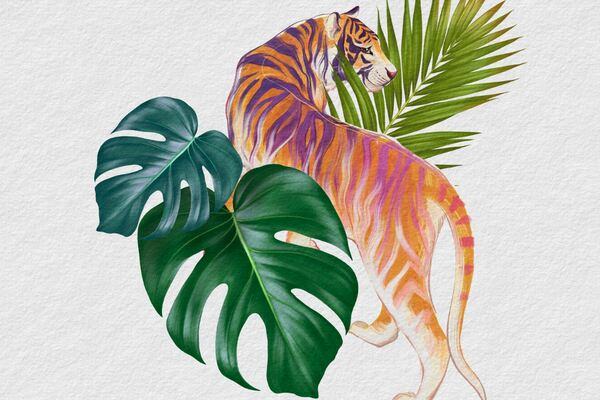
Grab the free brush for this tutorial
Made by Freya · works in any Procreate version
Here's a quick tutorial to help you get acquainted with my Realistic Gouache Brush Set for Procreate! Bonus, you get to try out one of my template brushes. As of writing, my drawing template brush set is still in the works, so you'll be one of the few people who'll get to try it this early! So before we begin, kindly download all the tutorial materials.
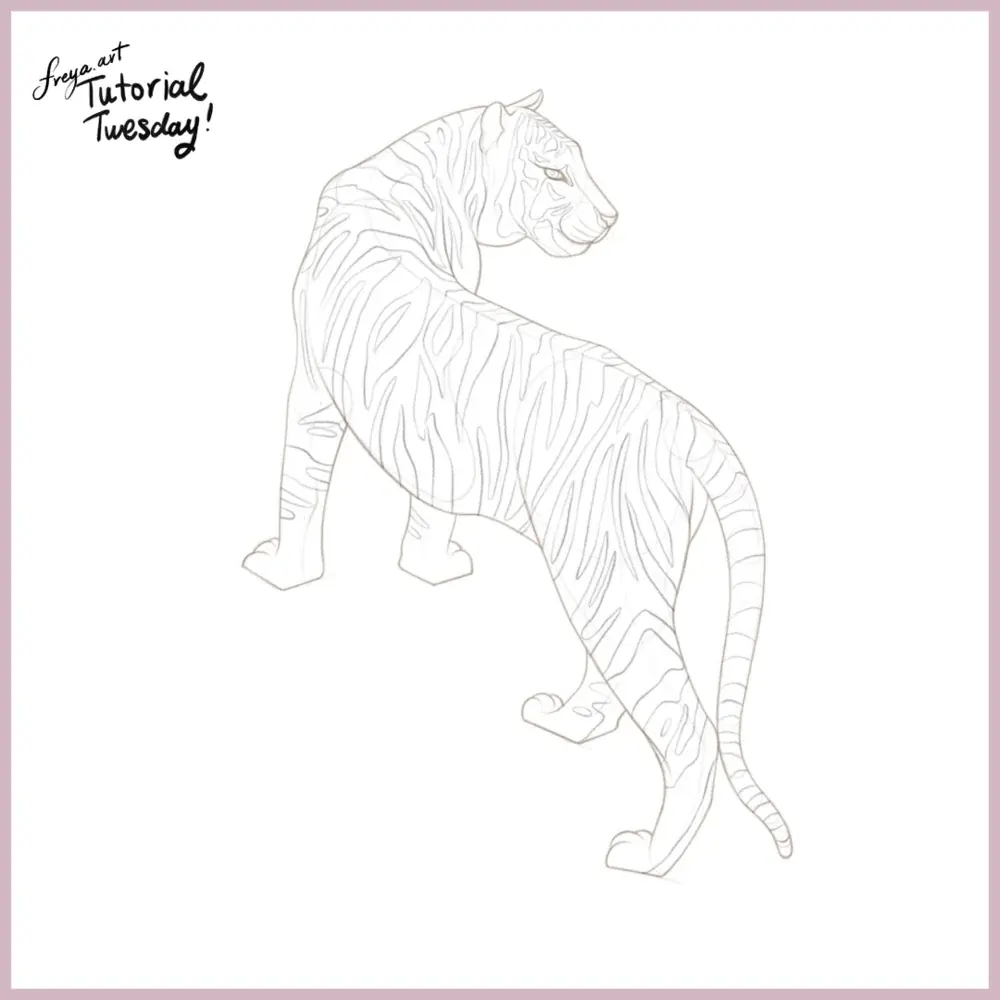
Step 1: Let's begin by creating a square canvas. Set the canvas size to 3000x3000 and make sure that it is at least 300 DPI.
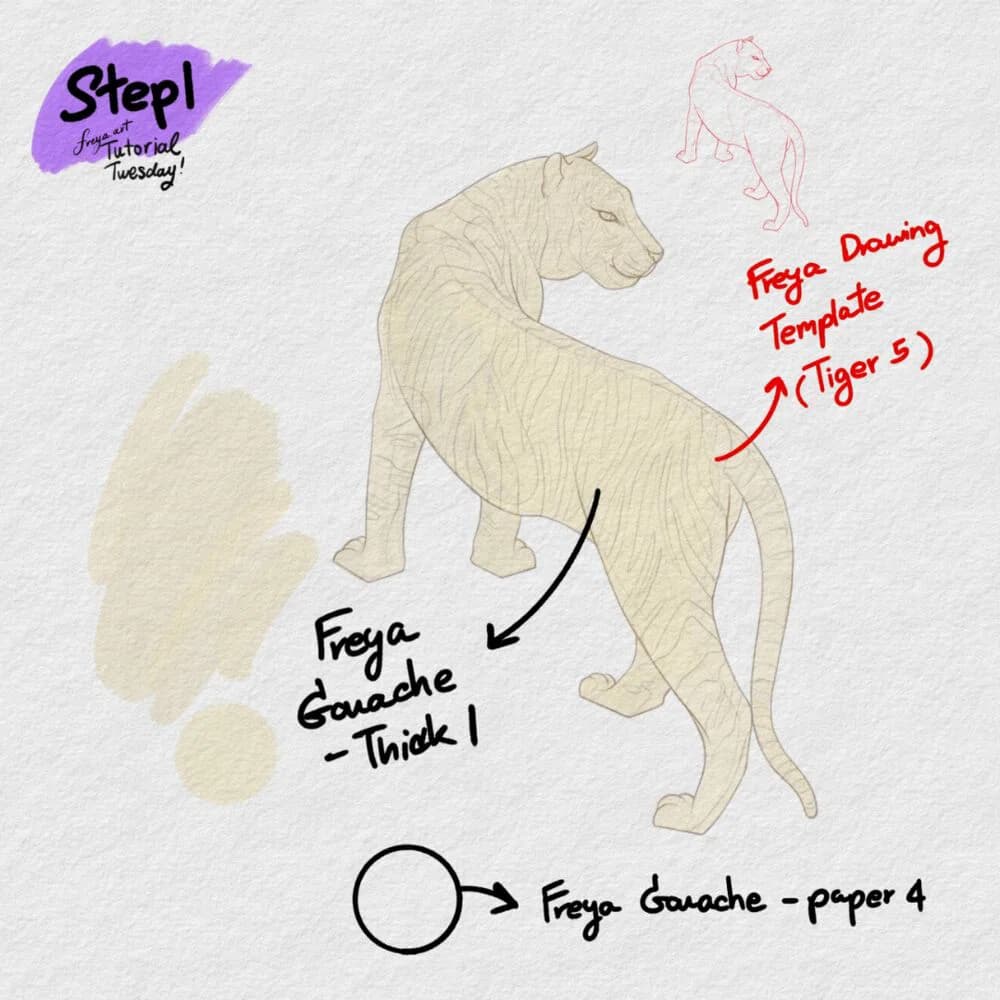
Add a layer of texture using the Freya Gouache Paper 4. Brush this texture all over the layer. Change the layer mode to Linear Burn and then lock this layer. This layer should be on top of all the succeeding layers so that all the layers will have this same texture. Then using the Tiger Template brush, add the tiger sketch into your its own layer. Lower the opacity and then lock this layer. On another layer, start filling in the base layer using Freya Gouache Thick No. 1.
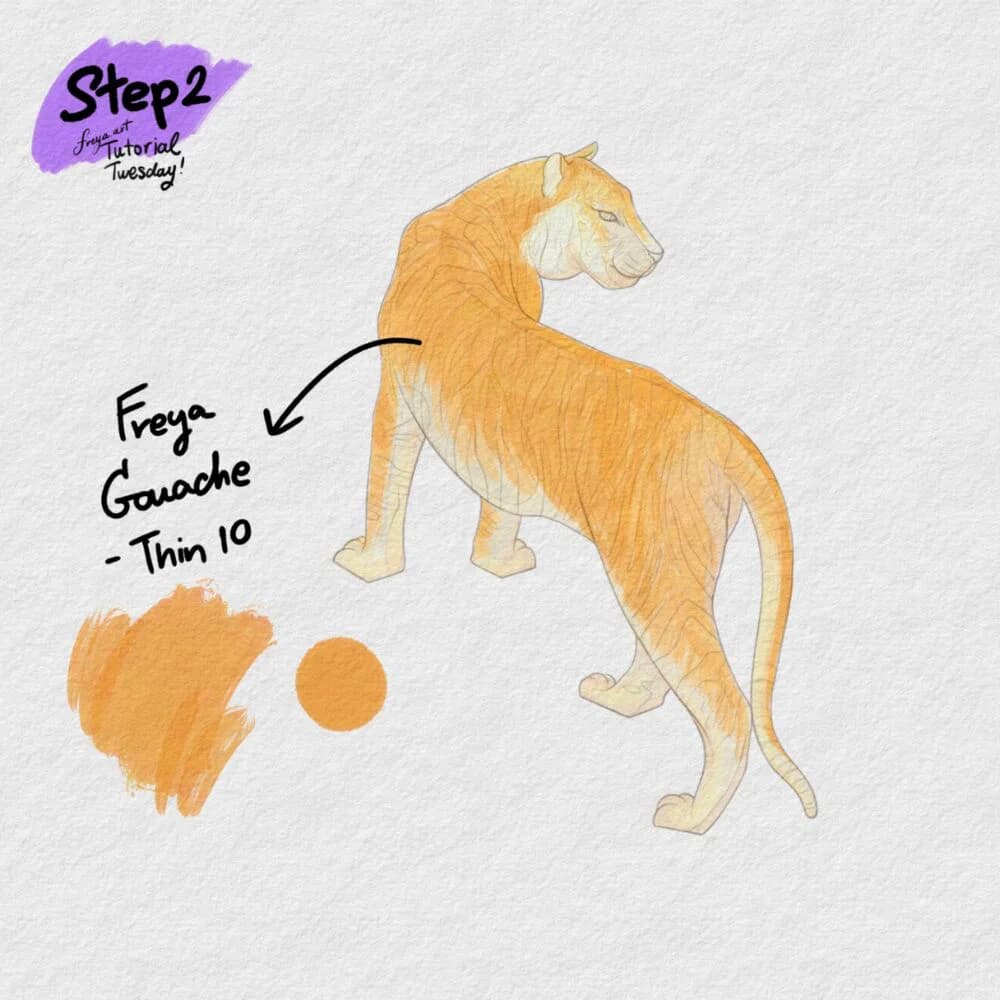
Step 2: Now, add another layer and set it to a clipping mask. Use Freya Gouache Thin No. 10 to add another layer of color to the tiger.
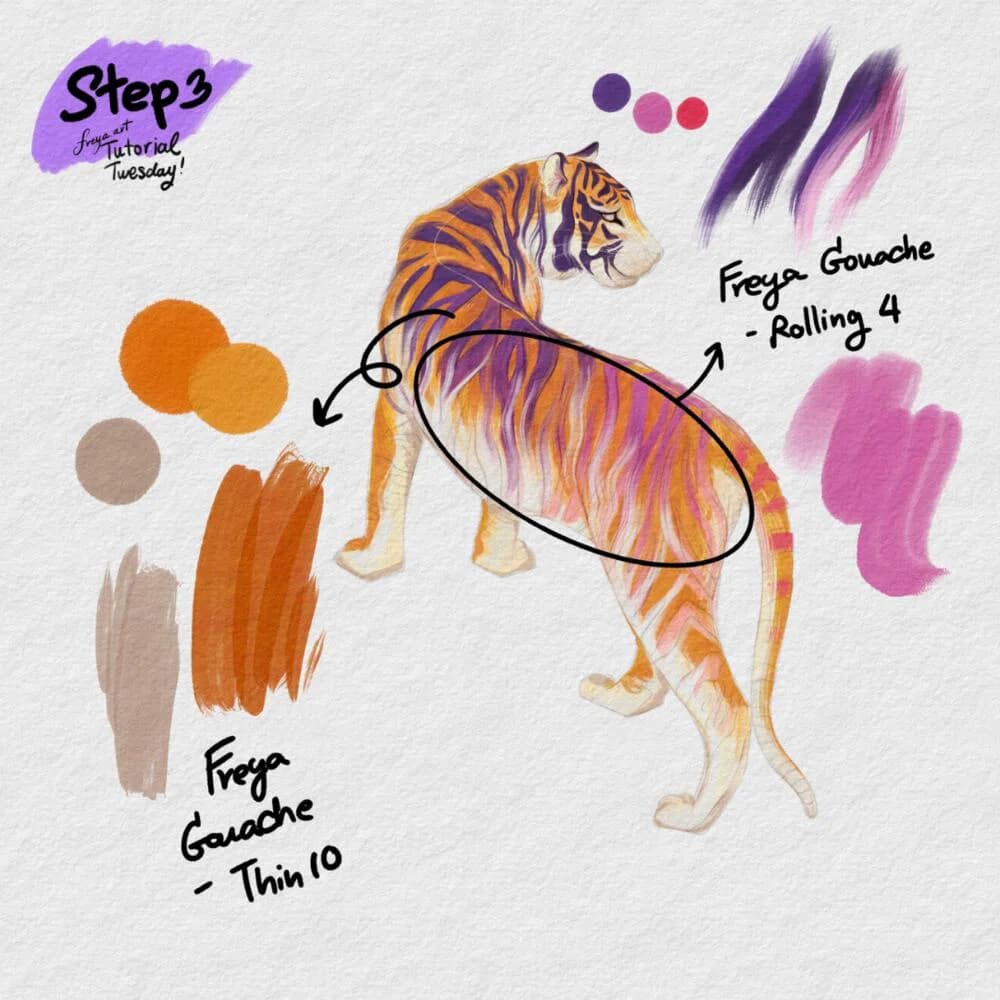
Step 3: On another clipping mask layer, add the stripes details using Freya Gouache Rolling No. 4 and Freya Gouache Thin No. 10. This illustration is a bit whimsical so my colors are fanciful. But you can apply the same technique with a more realistic color palette.
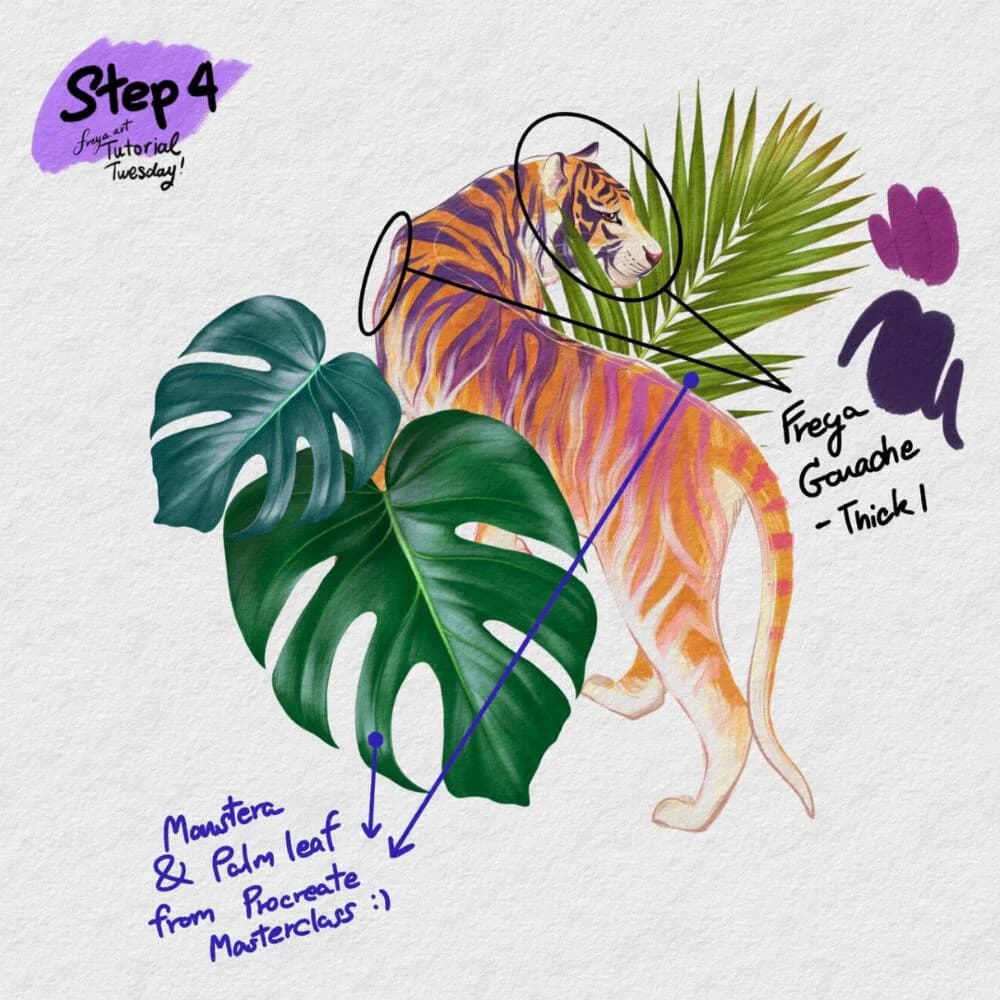
Step 4: Add some emphasis to the drawing by adding thicker outlines sparingly using Freya Gouache Thick No. 1. You can add more details like tropical leaves. These leaves are from the activities in my Procreate Masterclass. Erase some parts to add depth to the layers.
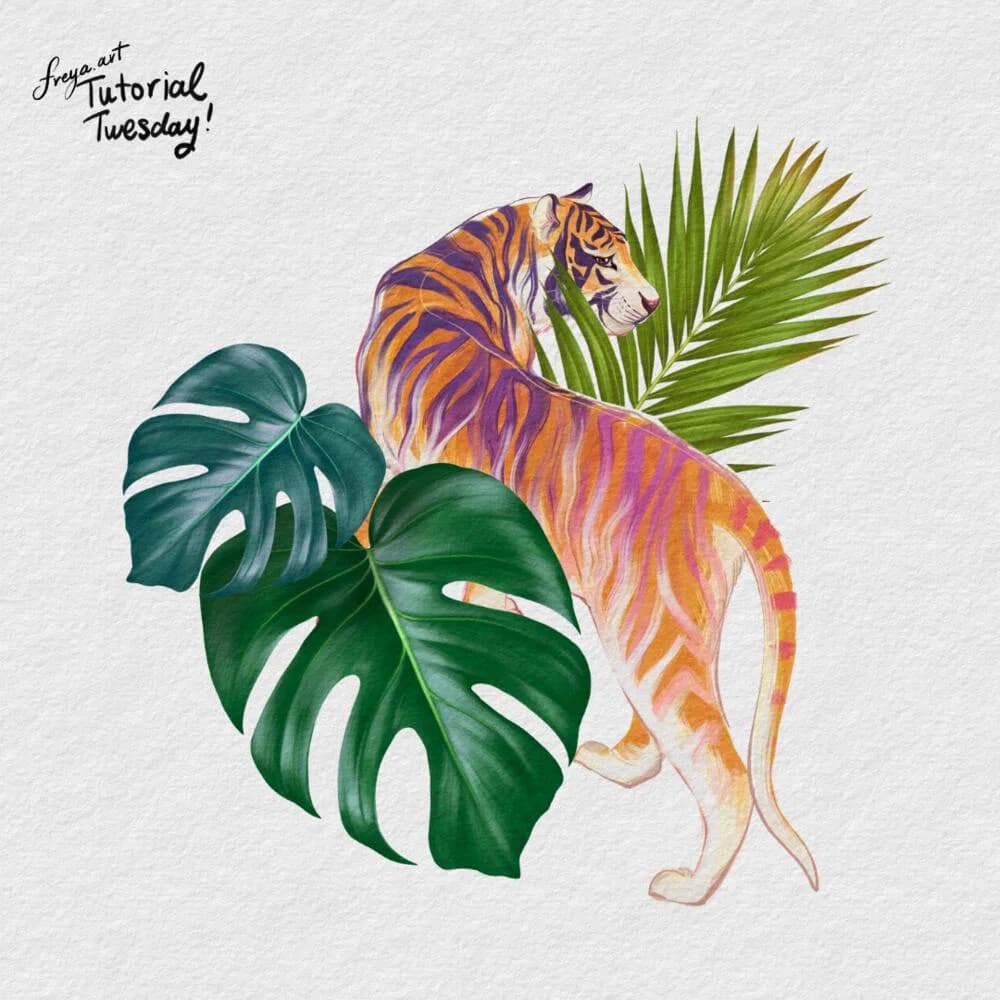
Congratulations! You've just completed this Tiger Illustration using the sampler brushes from my Realistic Gouache Brush Set! Please don't forget to share your work online, I'd love to see your version!
Written by
Digital illustrator and Procreate instructor of 15+ years, and the founder of Freya's Academy. Her client work includes Louis Vuitton, Tiffany & Co., and Sephora, and every course teaches the same techniques she uses on it.
More about Freya →Try two real lessons from Freya's Gouache Brush Set, free
Not a trailer. Actual lessons from the course. After you confirm your email, they open in Freya Studio and stay yours.
- Full lesson
Thin Gouache Brushes
The complete lesson, not a preview
- Full lesson
Gouache Blender Brushes
The complete lesson, not a preview
- ✓Yours after email confirmation
- ✓No card, no trial
- ✓Opens in Freya Studio
Keep going
Impasto Brush Set
Thick paint texture, a natural next step after free fabric tools.
Keep making
Source: freya.courses