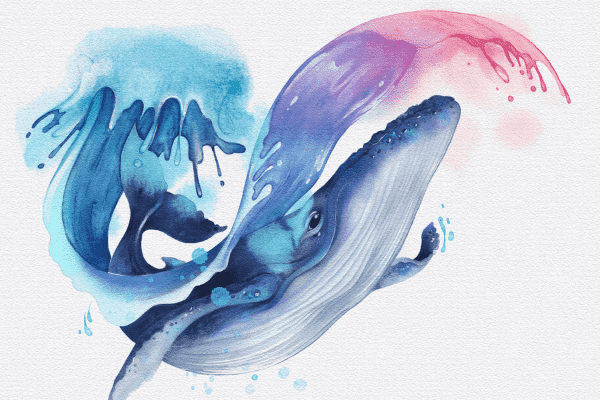
Grab the free brush for this tutorial
Made by Freya · works in any Procreate version
Welcome to this free Procreate Watercolor Tutorial. Today we'll be painting a Humpback Whale using my Ultimate Watercolor Brush set for Procreate! You'll need the premium brushes from this set to complete this project. Kindly download the rest of the tutorial files before we begin. You'll find the tutorial PDF, sketch, and palette swatches in the download link.
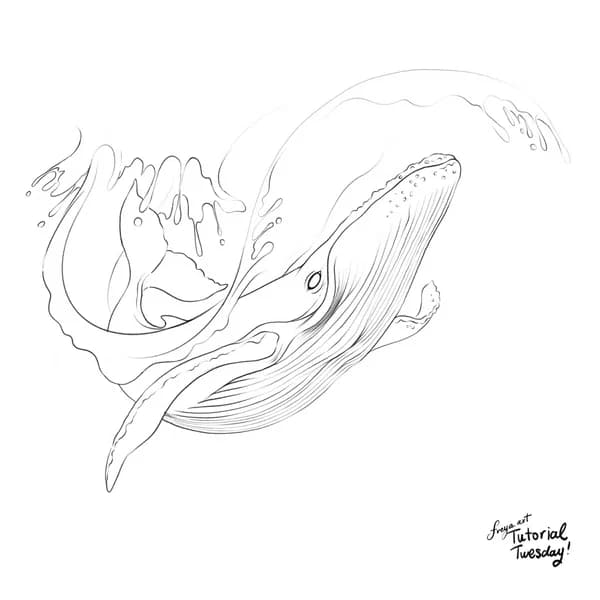
Step 1: Let's begin by importing the sketch file provided in the tutorial files download link. Rename this layer as "sketch" and lower the opacity. Lock this layer. Don't forget to import the palette swatch as well.
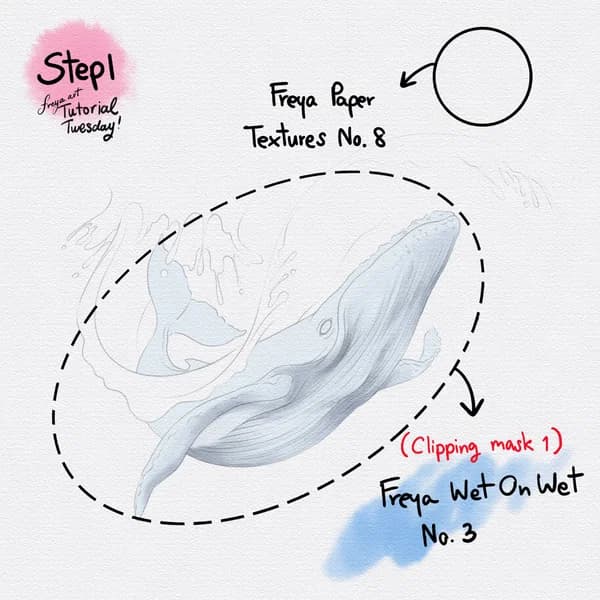
Now add another layer and swipe on Freya Paper Texture No. 8 in a light grey color. Lock this layer so that you don't accidentally paint over it. Add a new layer, rename it as "whale base". Using a very light blue color, carefully trace the shape of the whale using Freya Wet on Wet No. 3. Fill in the rest of the shape with the same color. Add a clipping mask, label it as clipping mask 1 and add the shadows in light grey color.
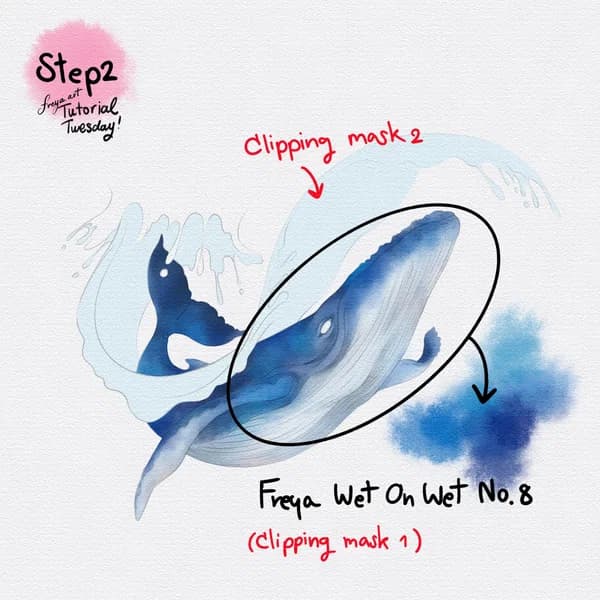
Step 2: Still working on Clipping Mask 1, continue building the whale's darker hues using Freya Wet on Wet No. 8. Then add another layer, rename it as "Water Base" and trace the outline of the water splash using a light blue color. Fill the shape as well. Then add a clipping mask on top, rename it as "Clipping Mask 2".
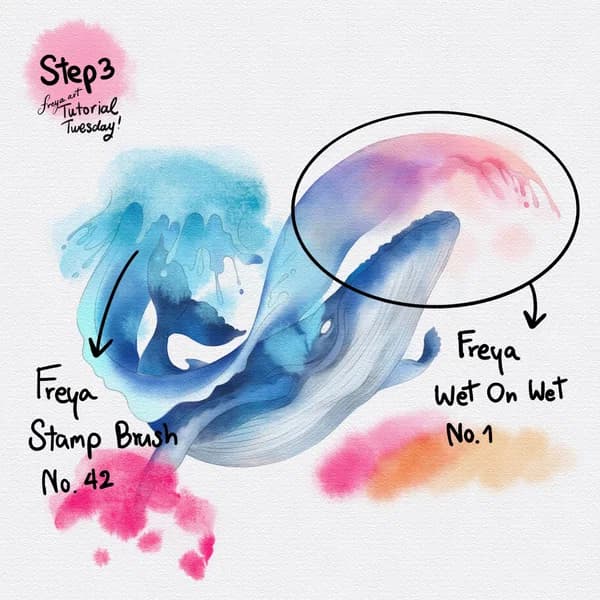
Step 3: Still on Clipping Mask 2, continue building the water's different shades using Freya Wet on Wet No. 1. We can also add different colors to give a light refraction effect. On another layer, use Freya Stamp Brush No. 42 to create foamy texture. Just erase where you think it's needed.
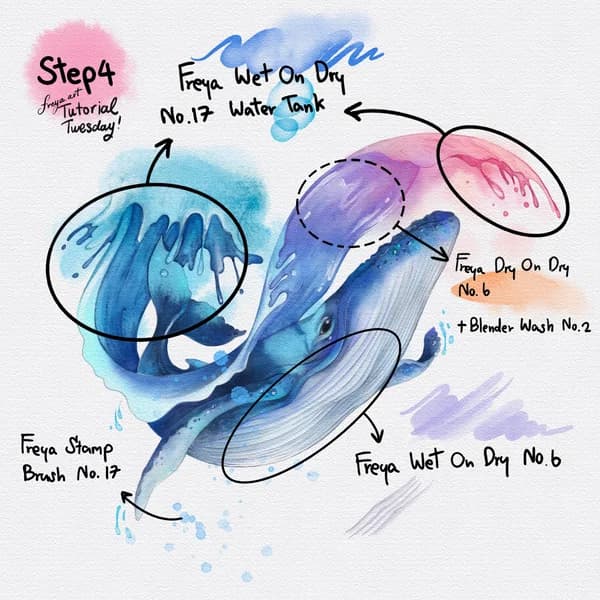
Step 4: Now for the final touches. Add bubbles and water bleed effect using Freya Wet on Dry No. 17 Water Tank. Blend in some of the colors using Freya Dry on Dry No. 6 and Freya Blender Wash No. 2. Add a bit more definition to the whale's belly using Freya Wet on Dry No. 6. Finally, use Freya Stamp Brush No. 17 to add water splashes around the composition!
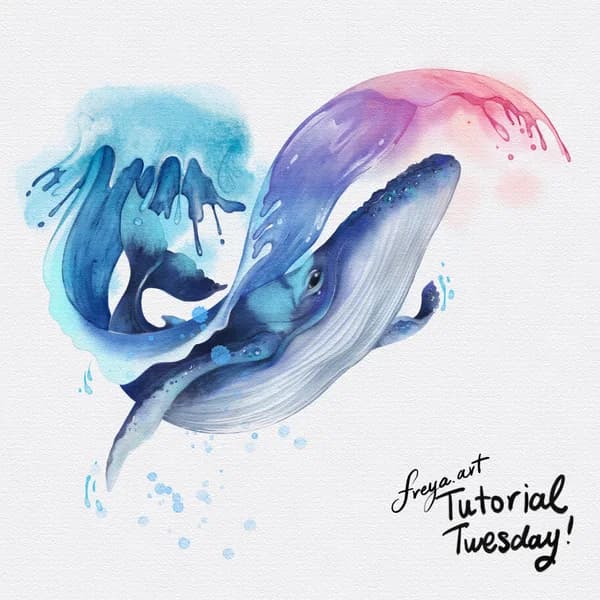
Congratulations! You've completed this Humpback Whale Illustration using the Ultimate Watercolor Brush set! Please don't forget to share your work! Tag me on Instagram, I'd love to see your work and share it on my IG stories! 😊
Written by
Digital illustrator and Procreate instructor of 15+ years, and the founder of Freya's Academy. Her client work includes Louis Vuitton, Tiffany & Co., and Sephora, and every course teaches the same techniques she uses on it.
More about Freya →Try two real lessons from Watercolor Brushset, free
Not a trailer. Actual lessons from the course. After you confirm your email, they open in Freya Studio and stay yours.
- Full lesson
Wet On Dry Brushes
The complete lesson, not a preview
- Full lesson
Blender Wash Brushes
The complete lesson, not a preview
- ✓Yours after email confirmation
- ✓No card, no trial
- ✓Opens in Freya Studio
Keep going
Ultimate Watercolor Brush Set
The brushes Freya uses for soft washes, blooms, and paper texture.
Keep making
Source: freya.courses